Understanding Image Circle Crop Techniques
In the digital age, where visual storytelling plays a pivotal role in communication, mastering the art of image cropping is essential for both professional and personal projects. Among various cropping techniques, image circle crop is one of the most popular and aesthetically pleasing methods. By focusing on circular cropping, you can enhance your visuals, create unique compositions, and make your images stand out. This article explores the importance of image circle cropping, practical applications, and step-by-step instructions to achieve stunning circular images.
What is Image Circle Crop?
Image circle crop refers to the technique of cropping an image into a circular shape. This method allows for a unique presentation of the subject, as it emphasizes the central focus while eliminating distractions around it. Unlike traditional rectangular cropping, a circular crop provides a soft, visually appealing look, making it perfect for profile pictures, product photography, and creative layouts in design projects.
The Importance of Circle Cropping in Design
Circle cropping is particularly valuable in design because it lends a sense of balance and harmony to images. Designers often employ circular crops to frame portraits, create logos, or enhance visual interest on social media platforms. The circular shape encourages viewers to focus on the center of the image, effectively guiding their eyes to the most important elements. As a result, circle cropping can enhance user engagement and bolster the visual impact of marketing materials.
Common Uses for Circular Images
- Profile Pictures: Circular crops are widely used on platforms like Instagram and Facebook for profile images, providing a clean and polished look.
- Product Listings: E-commerce websites can benefit from circular cropping to create a uniform appearance for product images, drawing attention to the items being sold.
- Graphic Design: Circular images are effective in marketing materials, brochures, and flyers, as they break the monotony of traditional rectangular images.
- Creative Projects: Scrapbooking, greeting cards, and personalized gifts often utilize circular images to add a playful touch.
Step-by-Step Guide to Circle Cropping an Image
Selecting the Right Image for Circle Crop
The first step in achieving a successful circular crop is selecting the right image. Ideally, your chosen photo should have a central subject, such as a person’s face or an important object, which you want to highlight. Avoid images where the focal point is too close to the edges, as this may lead to essential elements being cut off during the cropping process. When exploring options, image circle crop can provide comprehensive insights into choosing the best images for this technique.
Using Our Online Tool for Perfect Results
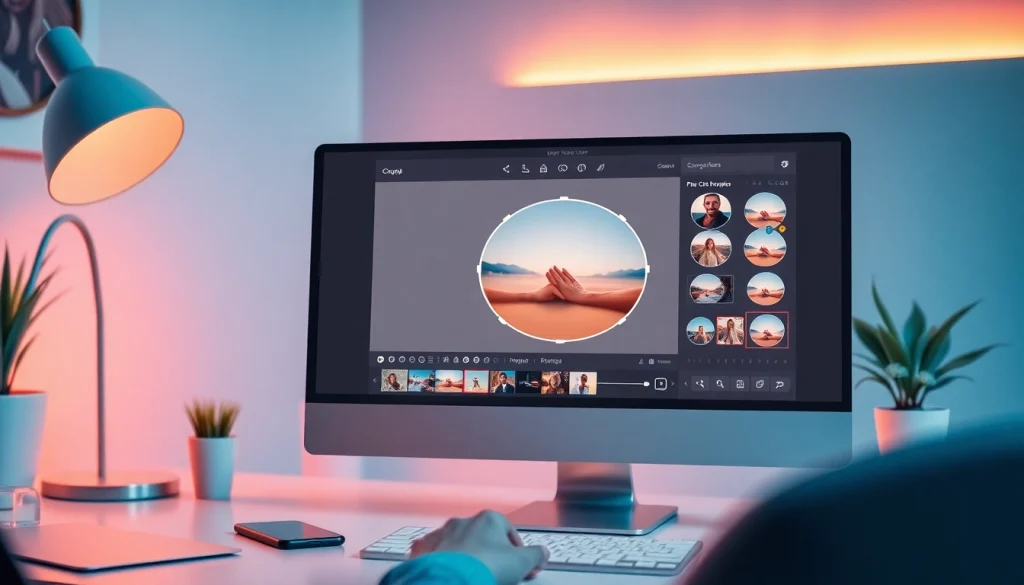
Once you have selected the image, using an online cropping tool can simplify the process. Many platforms offer user-friendly interfaces where you can upload your image, select the circular crop option, and adjust the size as needed. Make sure to preview the crop to ensure that the essential details are included and properly centered.
Adjusting Dimensions for Social Media Platforms
Different social media platforms have specific image size requirements. For instance, Instagram profiles require a minimum of 320×320 pixels for circular profile pictures. Before downloading your cropped image, ensure that the dimensions are adjusted accordingly to avoid pixelation or loss of quality when uploading.
Best Practices for High-Quality Circle Crops
Maintaining Image Quality During Circle Cropping
To ensure high-quality results, it’s crucial to maintain the resolution of the original image. While cropping, be mindful of the aspect ratio and avoid stretching the image, as this can lead to distortion. Most online cropping tools will allow you to adjust the crop while keeping the original quality intact.
Choosing Aspect Ratios for Different Applications
Aspect ratios are vital in image cropping, as they determine how the image appears across various platforms. Common ratios for circular images include 1:1 for Instagram and 16:9 for Facebook cover photos. Knowing the right dimensions for your specific needs can help in creating visually appealing images that fit perfectly on their respective platforms.
Creative Uses for Your Cropped Circular Images
Cropped circular images can be creatively utilized in various ways beyond traditional applications. Consider using them for:
- Collages and montages that combine multiple circular images for a dynamic layout.
- Business cards that incorporate a circular logo or profile image for branding.
- Event invitations that feature circular images to add a unique flair.
Common Challenges in Circle Cropping
Avoiding Loss of Key Elements in Your Photos
One of the biggest challenges in circle cropping is ensuring that key elements of your photo remain visible and are not lost in the cropping process. To address this, always preview your crop before finalizing it. Zooming in can help you verify that the focal points are well-positioned within the circular crop.
Understanding the Difference Between Crop and Resize
Many people confuse cropping with resizing, but these techniques serve different purposes. Cropping removes part of the image to focus on a specific area, while resizing alters the dimensions of an image without cutting out sections. Understanding this distinction will help you make informed decisions when editing your images.
Fixing Common Mistakes When Circle Cropping
Common mistakes in circle cropping include selecting images that are poorly lit or out of focus. To avoid this, always opt for high-quality, well-composed images. If you find that the cropped image doesn’t turn out as expected, don’t hesitate to retry the crop or adjust the dimensions until you achieve the desired result.
Future Trends in Image Cropping Technologies
Emerging Tools for Enhanced Visual Composition
As technology evolves, so do the tools for image editing. Upcoming cropping technologies will likely include advanced AI capabilities that can automatically detect the best cropping points based on the image’s subject and background, providing users with optimal results with minimal effort.
How AI is Revolutionizing Image Circle Crop
Artificial intelligence is set to revolutionize image editing by introducing machine learning algorithms that learn from user preferences and adjust cropping suggestions accordingly. This will make it easier for users to achieve stunning circular crops without the need for extensive editing knowledge.
Predictions for Image Editing in 2026 and Beyond
By 2026, we can expect significant advancements in image editing software that will streamline the process of cropping and enhancing images. The integration of augmented reality (AR) tools will allow users to see how circular crops would look in different applications before finalizing their edits.